The VIVO Extra Tall Single Monitor Desk Stand is designed to raise one screen on a tall center pole while keeping its base freestanding on the desk.
This VIVO Extra Tall Single Monitor Desk Stand review looks at its compatibility, positioning options, and the practical limits of its height adjustment.
VIVO Extra Tall Stand Review Summary
The quick verdict
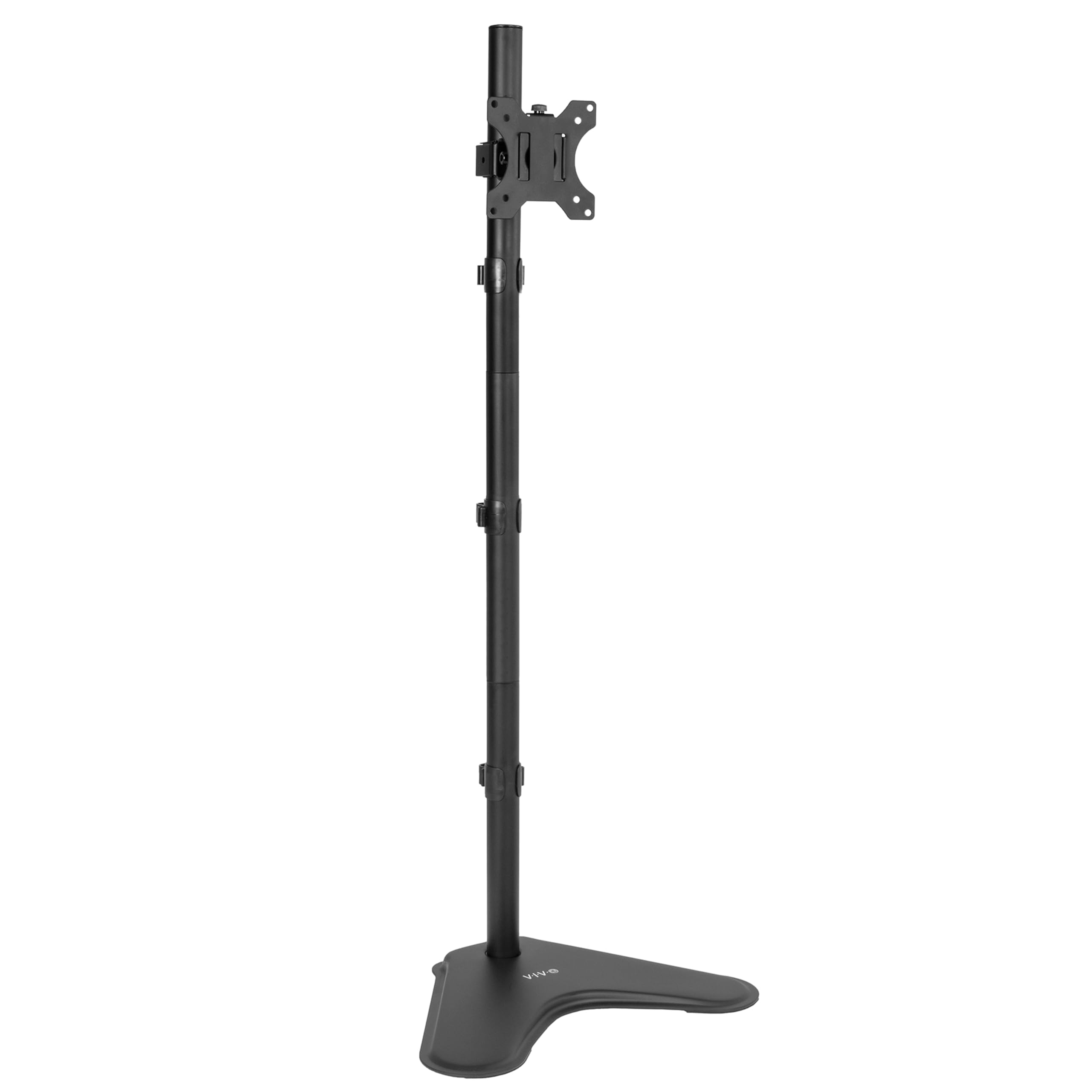
5,000+ ratings
Read Amazon ReviewsVIVO STAND-V011H Extra Tall Monitor Stand
A freestanding option for users who want to raise one compatible monitor and value flexible screen positioning over quick height changes.
- Freestanding steel base and 40-inch center pole for a single monitor.
- Designed for screens from 13 to 27 inches and up to 22 pounds.
- Requires a 75 x 75 mm or 100 x 100 mm VESA mounting pattern on the back of the monitor.
- Bracket offers +45° to -45° tilt, 180° swivel, and 360° rotation.

Pros
- Tall pole provides room to place a compatible monitor higher than a typical desktop position.
- Freestanding design avoids relying on a desk-edge clamp.
Consider before buying
- Height is not designed for frequent, fluid repositioning; adjustments require loosening and tightening the bracket bolt.
- Monitor size, weight, and VESA pattern must all fall within the supported limits.
Read the full review summary
The STAND-V011H combines a freestanding steel base with a 40-inch pole, a VESA bracket, and cable management.
It accommodates compatible 13- to 27-inch monitors weighing up to 22 pounds, with either a 75 x 75 mm or 100 x 100 mm VESA pattern.
Its tilt, swivel, and rotation adjustments offer several ways to set a screen angle or switch between portrait and landscape.
This stand suits someone who wants a taller single-monitor setup without attaching a mount to the desk edge.
Height can be adjusted along the pole, but doing so requires loosening and retightening a bolt; it is intended for occasional setup changes rather than frequent repositioning.
Check your monitor’s weight and VESA pattern, and make sure the freestanding base fits the workspace before buying.
The buying factors
VIVO Extra Tall Stand Scorecard
Editorial scores reflect listed features and buyer fit; they are not laboratory measurements or customer ratings.
Monitor compatibility
Supports a defined range of common screen sizes and VESA patterns, with a 22-pound weight limit to check.
Height range
The 40-inch pole allows a tall placement, though the usable height depends on the monitor and bracket position.
Fine adjustment
Tilt, swivel, and rotation give useful screen positioning, but height changes require a tool-assisted bolt adjustment.
Desk flexibility
The freestanding base avoids desk-edge mounting, making it a potential fit where a clamp mount is inconvenient.
Setup convenience
The open-top VESA plate and included assembly hardware are designed to simplify installation, while careful compatibility checks remain necessary.
Cable organization
Cable management is included to help keep cords orderly around the stand.
Key Features and Specifications of VIVO Extra Tall Stand
- Freestanding steel base and 40-inch center pole for a single monitor.
- Designed for screens from 13 to 27 inches and up to 22 pounds.
- Requires a 75 x 75 mm or 100 x 100 mm VESA mounting pattern on the back of the monitor.
- Bracket offers +45° to -45° tilt, 180° swivel, and 360° rotation.
- Height adjusts along the pole; the bracket bolt must be loosened and tightened to change height.
- Open-top VESA plate system, included assembly hardware, and cable management.
- Black alloy-steel construction and a three-year warranty.
Pros and Cons of VIVO Extra Tall Stand
Pros
- Tall pole provides room to place a compatible monitor higher than a typical desktop position.
- Freestanding design avoids relying on a desk-edge clamp.
- Multiple angle and orientation adjustments support portrait or landscape viewing.
- Cable management and open-top VESA mounting design help make setup more orderly.
Consider before buying
- Height is not designed for frequent, fluid repositioning; adjustments require loosening and tightening the bracket bolt.
- Monitor size, weight, and VESA pattern must all fall within the supported limits.
- A freestanding base occupies desk surface, so confirm its footprint suits your available space.
Who Should Buy VIVO Extra Tall Stand?
Good fit
Consider this stand if your goal is to raise one compatible monitor and you want a freestanding base rather than a clamp-mounted arm.
Its 40-inch pole gives you room to set the monitor at a higher point, while tilt, swivel, and rotation help aim the display once installed.
The portrait and landscape options are useful if your work benefits from changing screen orientation.
Before ordering, check the monitor’s mounting pattern, weight, and screen size against the stand’s limits.
Also measure the desk area where the base will sit and consider whether your desired viewing height can be set once and left in place.
This is a better match for a stable workstation layout than one where the screen needs regular vertical movement.
The included hardware and open-top VESA plate are intended to make assembly and mounting more manageable. The three-year warranty adds a defined coverage period, though buyers should review its terms for details.
Who should skip it
Look elsewhere if you need to adjust monitor height frequently throughout the day; this bracket requires loosening and retightening a bolt and is not designed for fluid vertical movement.
This model is not the right fit if your monitor exceeds its size or weight limits, lacks a compatible VESA pattern, or if you cannot spare desk space for a freestanding base.
What the VIVO Extra Tall Stand Means for Your Desk
A high position with a fixed setup in mind
The 40-inch pole gives the bracket a tall adjustment path, which can help users place one screen higher without an arm attached to the desk edge.
The actual screen position depends on monitor dimensions and bracket placement, so treat the pole height as available structure rather than a guarantee of a particular eye-level alignment.
Check fit before assembly
Compatibility comes down to three practical checks: a 13- to 27-inch screen, a weight no greater than 22 pounds, and a 75 x 75 mm or 100 x 100 mm VESA pattern.
Confirm these details in the monitor’s specifications, and make sure the back of the screen can accept the VESA plate.
Positioning versus adjustability
Tilt, swivel, and full rotation provide meaningful ways to aim the screen and change its orientation.
Height adjustment involves loosening and tightening the bracket bolt, so the design favors choosing a position during setup and making occasional changes rather than frequent lifts.
Freestanding base and workspace
A base that rests on the desk can be useful when desk-edge clamping is not suitable, but it uses surface area and needs a stable place to sit.
Measure the available area and think about where the monitor’s weight will sit relative to the base before committing to the arrangement.
Alternatives to VIVO Extra Tall Stand
Computer Monitor Arms alternative
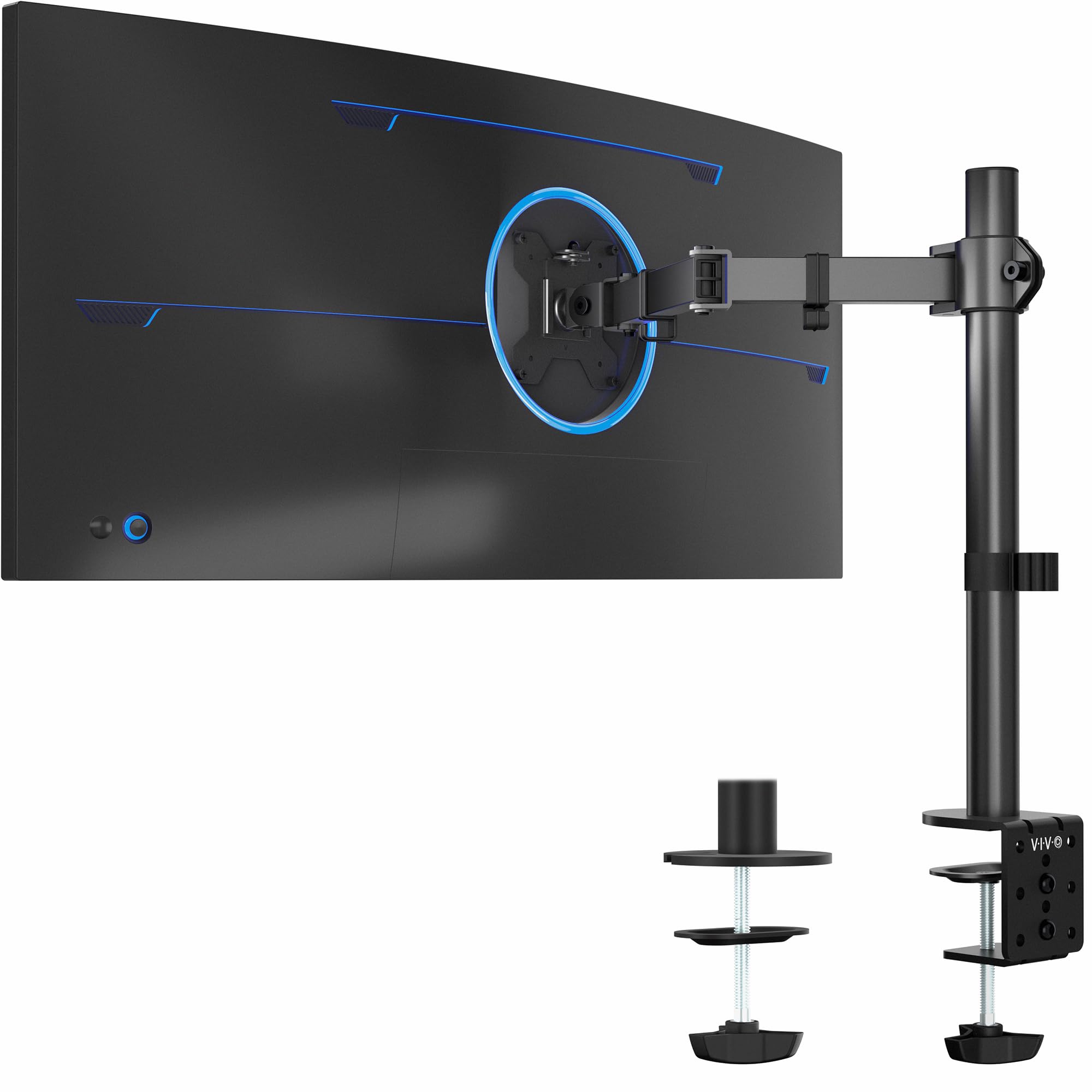
20,000+ ratings
Read Amazon ReviewsVIVO STAND-V001 Single Monitor Desk Mount
Choose the STAND-V011H if a freestanding base and taller pole suit your desk arrangement. Consider the STAND-V001 if you need support for a larger screen and have a desk that can accept its clamp or grommet mounting.
- The STAND-V001 is a single-monitor mount for screens from 13 to 32 inches and ultrawides up to 38 inches, weighing up to 22 pounds.
- It attaches with a C-clamp or optional grommet mount and provides up to 16 inches of height adjustment along its center pole.
- The STAND-V011H uses a freestanding base and a 40-inch pole, with height changes made by loosening and tightening the bracket bolt.
Computer Monitor Arms alternative
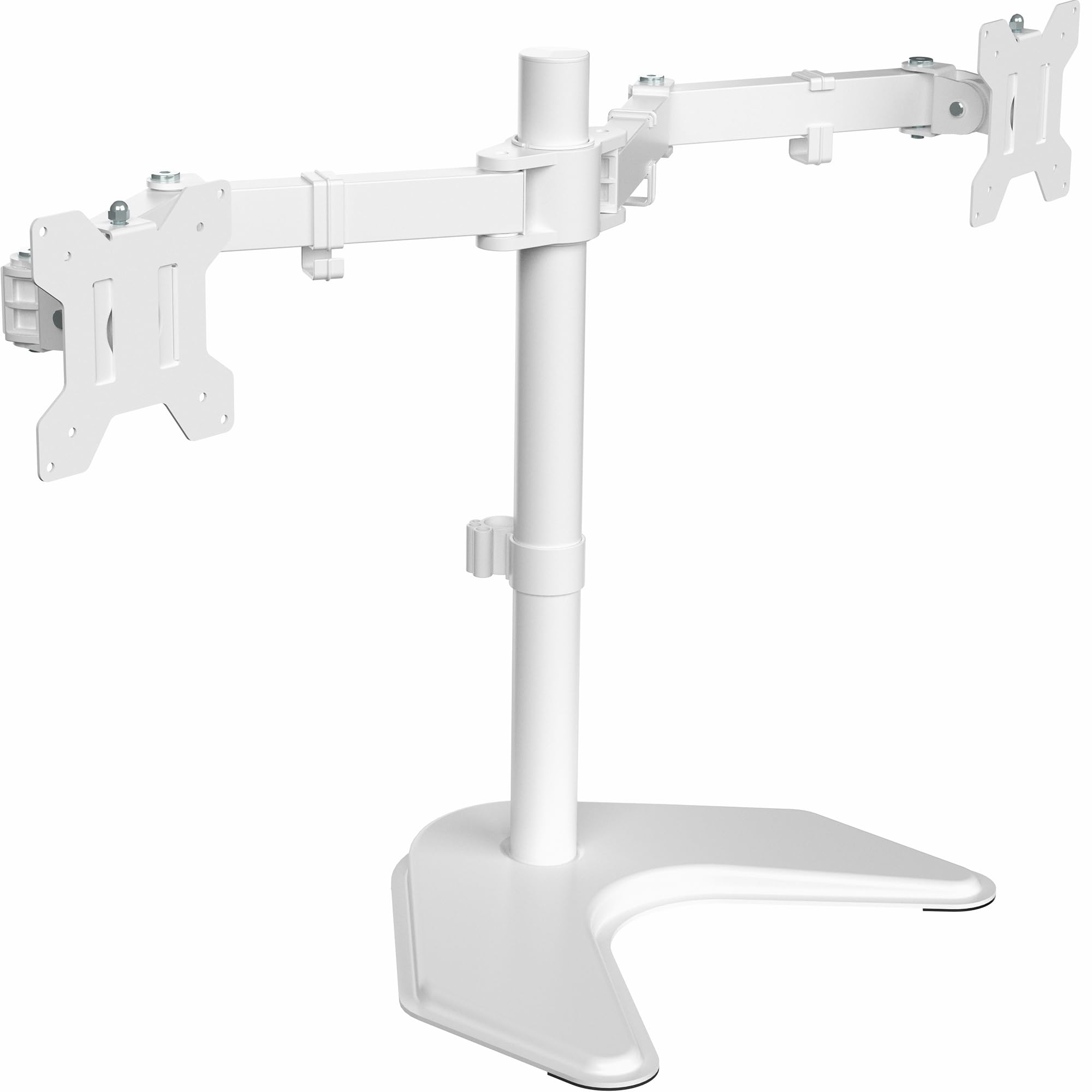
16,000+ ratings
Read Amazon ReviewsVIVO STAND-V002FW Dual Monitor Stand
Choose the STAND-V011H for a single-screen workstation. The STAND-V002FW is a better fit when you need to elevate two compatible monitors and can accommodate its larger base.
- The STAND-V002FW is a freestanding mount for two 13- to 27-inch monitors, each up to 22 pounds, with an extra-large 13 x 10.5-inch base.
- Its arms offer tilt, swivel, rotation, and center-pole height adjustment.
- The STAND-V011H is a freestanding stand designed to hold one monitor, with a 13- to 27-inch size range and 22-pound limit.
Is VIVO Extra Tall Stand Worth It?
The VIVO STAND-V011H is worth considering if you want a freestanding way to place one compatible monitor high on your desk and can settle on a position that does not need frequent vertical adjustment.
Its tall pole and flexible screen angles are useful, while the bolt-based height change makes it less suited to a constantly changing setup.
Check the monitor’s VESA pattern, size, and weight, then measure room for the base. If those fit and desk-edge mounting is not your preference, this stand offers a straightforward route to a raised single-screen arrangement.
Your review at a glance
5,000+ ratings
Read Amazon ReviewsVIVO STAND-V011H Extra Tall Monitor Stand
A freestanding option for users who want to raise one compatible monitor and value flexible screen positioning over quick height changes.
- Freestanding steel base and 40-inch center pole for a single monitor.
- Designed for screens from 13 to 27 inches and up to 22 pounds.
- Requires a 75 x 75 mm or 100 x 100 mm VESA mounting pattern on the back of the monitor.
- Bracket offers +45° to -45° tilt, 180° swivel, and 360° rotation.